> For the complete documentation index, see [llms.txt](https://kinemation.gitbook.io/fps-animation-pack-unreal/llms.txt). Markdown versions of documentation pages are available by appending `.md` to page URLs; this page is available as [Markdown](https://kinemation.gitbook.io/fps-animation-pack-unreal/tutorial/overview.md).
# Overview
In this page we will cover the basics of the FPS Animation Pack.
## Content
All the plugin's content (animations, weapons, sounds, and Blueprints) is located in the *"Plugins"* folder:
FPS Animation Pack content.
If you don't see the *"Plugins"* directory, make sure to adjust the content filters:
Adjusting filters.
The **FPS Animation Pack** consists of 8 main directories:
Content folders.
Let's break down each folder to determine what content you can find there.
### Animations
This folder contains camera, character, and weapon animations, including Animation Blueprints. You will character animations for both UE4 and UE5 skeletons:
Animation blueprints.
The main Animation Blueprint in the **FPS Animation Pack** is the **ABP\_Viewmodel**. The package uses a modular structure, so the main blueprint consists of these parts:
* **ABP\_IK\_Pose** controls IK offsets for arms and weapons.
* **ABP\_IK\_Ads** controls procedural aiming.
* **ABP\_IK\_Animation** controls procedural movement animations (e.g. idle, walking, sprinting).
* **ABP\_Movement** controls locomotion, such as idle, jump, or tactical sprint.
All animation blueprints are "atomic" - they do not depend on any components, and all their properties are fully exposed:
Atomic blueprint architecture.
{% hint style="success" %}
**Tip**: you can plug your custom parameters here.
{% endhint %}
### Blueprints
You can find here gameplay logic, tools,and prepared weapon settings:
Blueprint folder.
Here is what content you can find in each sub-folders:
* **Camera**: Recoil Shakes presets for different weapon types.
* **Character**: All blueprint types used in the project.
* **Modifiers**: Animation Modifiers
* **Procedural**: IK animations, like the "boop" motion when aiming.
* **Weapon**: settings for each weapon, as well as main Blueprint types.
### Input
This directory contains all Input Actions, as well as Input Mapping Context used in the demo level.
### Meshes
This folder contains character and weapon meshes, as well as textures and materials. You can find here the custom FPS Arms and UE5 Mannequin Skeletons.
### PRAS
Here you can find content related to the **Procedural Recoil Animation System** - it generates firing animations using curves.
### SFX
This folder contains all sound effects used in the package. This includes weapon-specific sounds, like firing and reloading, and general ones (e.g. walking, sprinting, jumping).
### UI
Here you can find the UI used by the Procedural Recoil Animation System to modify recoil parameters in runtime.
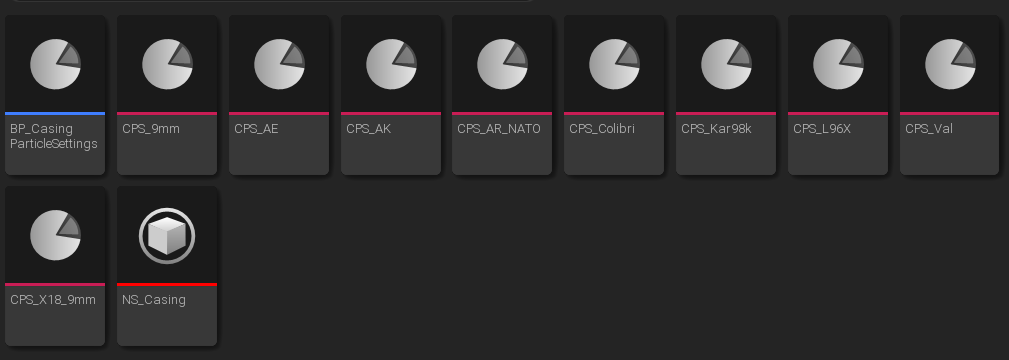
### VFX
Here you can find a templated *Niagara System*, used for the empty casings effect when firing. You will also find presets for different weapons: